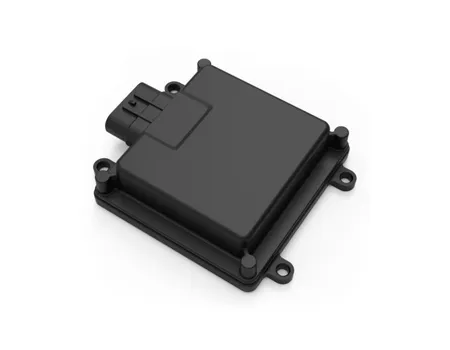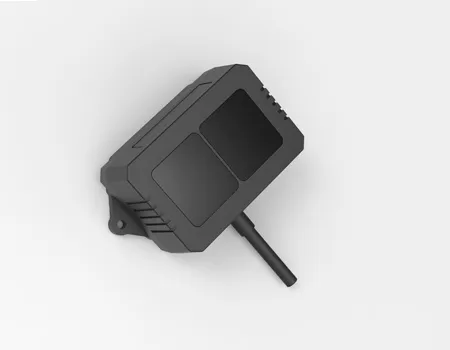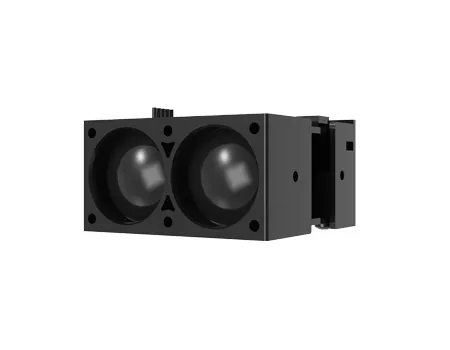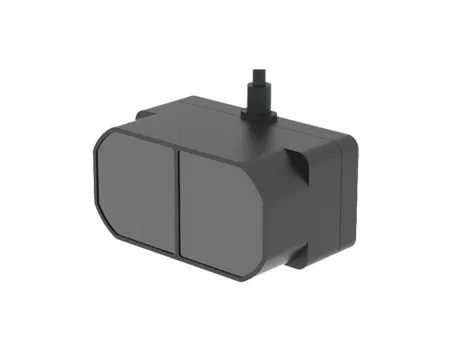
A modern 3D laser scanner does not just measure distance — it captures dense spatial reality as point clouds that can be cleaned, aligned, and transformed into a usable digital twin for inspection, mapping, robotics, or industrial automation. If you are evaluating a 3D laser scanner for sale, understanding how the scanner generates high-fidelity data, what impacts accuracy and completeness, and how the output fits your software workflow will determine whether the system delivers on its promise in real operating conditions.
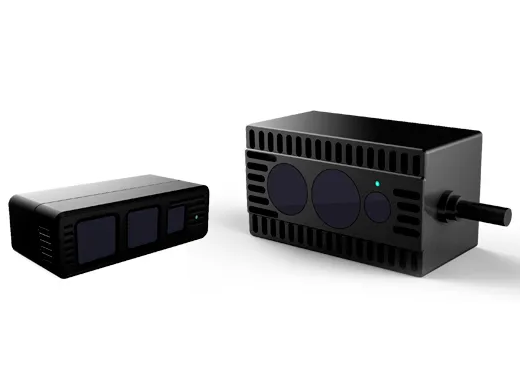
Every scan produces a collection of individual measurement points — each one defined by its position in three-dimensional space (X, Y, Z coordinates) and typically accompanied by additional attributes that make the data more useful for downstream processing.
| Point Cloud Attribute | What It Records | How It Is Used |
|---|---|---|
| XYZ coordinates | Spatial position of each measured point | Geometry reconstruction, dimensional measurement |
| Intensity or reflectivity | How much laser energy the surface returns | Surface material differentiation, noise filtering |
| Timestamp | When each point was captured | Motion compensation in mobile scanning |
| Color (RGB) | Visual texture from co-registered camera | Enhanced visualization, object classification |
| Return number | First, last, or multiple returns per pulse | Vegetation penetration, edge detection in LiDAR |
Point density — the number of measurement points per unit area or volume — determines how faithfully the scan represents the real object or environment.
| Density Level | What It Captures Well | What It Misses |
|---|---|---|
| Low density (sparse) | General spatial layout, large surfaces | Small features, sharp edges, thin structures |
| Medium density | Most architectural and industrial surfaces | Fine detail on machined features, small fasteners |
| High density | Full surface geometry including fine detail | Theoretical minimum — limited by scanner physics |
Resolution: the minimum distance between adjacent measurement points — smaller is finer
Accuracy: how close each measured point is to the true position — lower error is better
Noise: random variation in point position that blurs surface definition
Outliers: spurious points far from the real surface — must be filtered before use
Occlusion: regions the scanner cannot see due to line-of-sight blockage — creates data gaps
Coverage: the percentage of the target surface captured within the scan session
Pixel Array Lidar (PAL) technology represents a different approach to 3D laser scanning — using a two-dimensional array of sensing pixels rather than a single-point or spinning-mirror design. Understanding the capture pipeline helps buyers evaluate what differentiates PAL performance from conventional scanning architectures.
| Pipeline Stage | What Happens | PAL Advantage |
|---|---|---|
| Laser emission | Laser pulse or continuous wave projected toward target | Controlled emission pattern across full FOV simultaneously |
| Return signal collection | Reflected light returns to sensor array | Pixel array captures returns across entire scene in parallel |
| Depth extraction | Time-of-flight or phase measurement converts signal to distance | Per-pixel depth calculation; no mechanical scanning |
| Point cloud assembly | Depth values combined with angular position to produce XYZ | Dense, uniform point distribution across the field of view |
High-fidelity spatial data means the point cloud is dense enough, accurate enough, and clean enough that downstream processing — registration, meshing, CAD comparison, or digital twin construction — requires minimal manual correction and produces reliable results.
| High-Fidelity Characteristic | Practical Benefit |
|---|---|
| Higher point density | Better edge definition; small features captured accurately |
| Lower measurement noise | Surfaces appear smooth; less filtering needed before use |
| Stable performance on complex surfaces | Dark, shiny, or textured materials measured consistently |
| Fast acquisition rate | Faster scan sessions; less motion blur in dynamic environments |
| Wide field of view | More environment captured per scan position; fewer scan stations needed |
What is the typical working distance range and where is accuracy optimized within that range?
What is the field of view — horizontal and vertical angular coverage?
What is the point acquisition rate in points per second?
How does the system perform on highly reflective surfaces (metal, glass) and dark, low-reflectivity materials?
What environmental conditions (temperature, ambient light, outdoor use) affect performance?
Capturing the scan is only the first step. The journey from raw sensor output to a usable digital twin involves several processing stages — each of which can introduce error or consume time if not managed correctly.
| Processing Stage | What It Does | Key Decision |
|---|---|---|
| Noise filtering | Removes outlier points and random measurement variation | Filter aggressively enough to clean data; not so aggressively that real detail is lost |
| Segmentation | Separates distinct objects, surfaces, or regions within the point cloud | Manual or automated; affects how the digital twin is organized |
| Registration or alignment | Combines multiple scan positions into a single unified coordinate system | Target-based or targetless — targets improve accuracy; targetless improves flexibility |
| Mesh generation | Connects points to form a continuous surface model | Required for some applications (visualization, FEA); optional for others (CAD comparison) |
| Coordinate system assignment | Aligns the point cloud to a real-world or design reference frame | Critical for dimensional inspection and BIM integration |
| Output Format | Downstream Application |
|---|---|
| Registered point cloud (.las, .pts, .e57) | BIM integration, digital twin platforms, archive |
| Mesh model (.obj, .stl) | Reverse engineering, visualization, simulation |
| CAD comparison deviation map | Dimensional inspection, first article, quality reporting |
| Classified point cloud | Robotics perception, autonomous navigation, facility management |
Plan scan positions to minimize occlusion — walk the environment before scanning and identify blind spots
Use reference targets or natural feature markers at scan overlap zones to support registration accuracy
Maintain consistent scanner orientation relative to surfaces to optimize point density on critical features
In reflective environments, adjust scanner settings or use anti-reflective targets to prevent saturation artifacts
| Application | What the Scanner Captures | ROI Driver |
|---|---|---|
| Factory and warehouse digital twin | Full facility geometry, equipment positions, aisle clearances | Layout planning, simulation, change management without physical measurement |
| Asset documentation | Existing condition record of equipment, structures, or infrastructure | Reduces field visits; supports maintenance planning and insurance |
| Construction progress tracking | As-built vs. as-designed deviation across a project timeline | Early detection of scope deviation; reduced rework cost |
| Reverse engineering | Surface geometry of parts without original CAD data | Enables CAD reconstruction for legacy equipment or competitor analysis |
| Dimensional inspection | Part geometry compared to design specification | Faster first article inspection; full-surface deviation visibility |
| Deformation monitoring | Repeated scans to detect structural change over time | Early warning for structural integrity management |
| Autonomous navigation mapping | Environment map for robot path planning and obstacle detection | Reduces robot commissioning time; improves navigation reliability |
| Operating Condition | Implication for Scanner Selection |
|---|---|
| Indoor vs. outdoor | Outdoor use requires resistance to ambient light interference; some scanners are optimized for one or the other |
| Static vs. moving targets | Moving objects require fast acquisition rates to minimize motion blur |
| Required update frequency | One-time documentation vs. repeated monitoring affects whether fixed installation or portable scanning is more practical |
| Size of environment | Larger environments require longer range capability and more scan positions |
| Specification | What to Ask | Why It Matters |
|---|---|---|
| Accuracy | Specified error in mm at defined distance | Primary performance metric — compare at equivalent range |
| Repeatability | Variation when the same scan is repeated | Indicates system stability for monitoring and inspection |
| Point acquisition rate | Points per second | Determines scan duration for your environment or part size |
| Operating range | Minimum and maximum usable distance | Must cover your application geometry |
| Field of view | Horizontal and vertical angular coverage | Determines coverage per scan position |
| Laser safety class | Class 1 (eye-safe) vs. higher classes | Affects whether safety protocols and enclosures are required |
| Calibration process | Factory calibration plus field verification method | Affects ongoing accuracy assurance and traceability |
Before committing to any 3D laser scanner for sale, run a structured trial on your actual environment or parts:
Scan a representative target — not a demonstration object selected by the vendor
Compare scan-derived measurements against a reference measurement (CMM, tape, total station)
Quantify noise level and coverage completeness on your typical surface materials
Process the data through your intended software workflow from raw scan to final output
Run the trial with your own operators to assess the realistic learning curve
| Integration Factor | What to Confirm |
|---|---|
| SDK or API availability | Can the scanner integrate with your robotics, automation, or quality platform? |
| Supported output file formats | Does the scanner produce formats compatible with your software stack? |
| Camera synchronization | Does the system support co-registered color imaging if needed? |
| IMU integration | Available for mobile or drone-mounted scanning applications |
| Software support | Is processing software included, licensed separately, or open-format compatible? |
| Warranty and service | Duration, scope, calibration artifact replacement, and response time commitment |
Turning physical reality into a usable digital twin starts with data quality — and data quality starts at the scanner. A high-performance 3D laser scanner captures dense, reliable point clouds that minimize processing rework and improve the accuracy of every downstream application, from dimensional inspection to autonomous navigation. When evaluating options, focus on real-world scan results — point density, noise, surface performance, and registration accuracy on your actual targets — rather than spec-sheet claims in isolation.
Q1: What is the difference between a point cloud and a digital twin?
A point cloud is the raw output of a 3D laser scanner — a collection of measured points in three-dimensional space, each with XYZ coordinates and typically intensity or color data. A digital twin is an organized, usable model built from that data — aligned to a design reference, enriched with asset information, and structured for ongoing monitoring, simulation, or analysis. The point cloud is the input; the digital twin is the organized product of processing and interpreting that input.
Q2: How do I evaluate 3D laser scanner data quality?
The key indicators are point density (are small features and sharp edges captured clearly?), measurement noise (do flat surfaces appear smooth or fuzzy?), coverage completeness (are there gaps or occlusion shadows?), registration accuracy (do overlapping scan positions align without visible seams?), and repeatability (does scanning the same target twice produce consistent results?). Always evaluate on your actual targets and surfaces, not vendor-selected demonstration objects.
Q3: What should I ask before buying a 3D laser scanner for sale?
Request verified accuracy and repeatability specifications at the working distance relevant to your application. Confirm the field of view, point acquisition rate, and performance on your specific surface types — particularly reflective metals, dark materials, or outdoor environments. Ask about the calibration process and how traceability is maintained. Confirm supported output formats, SDK or API availability for integration, and the terms of warranty and ongoing service support.
Q4: Why do scans sometimes have holes or missing areas in the point cloud?
Gaps in point cloud coverage are caused by occlusion — where the line of sight between the scanner and the target surface is blocked by another object. Highly reflective or transparent surfaces (polished metal, glass) can also cause missing data by saturating the sensor or allowing the laser to pass through. Poor scan angle, insufficient scan positions, and absorptive dark surfaces at longer ranges are additional causes. Planning scan positions carefully before capture is the most effective prevention.
Q5: Do I need special software to build a digital twin from 3D laser scanner data?
Yes, in almost all cases. Raw point cloud data requires at minimum a point cloud processing application for noise filtering, registration of multiple scan positions, and export in the required format. Building a digital twin typically then requires a modeling, BIM, CAD, or simulation platform depending on the application. Confirm which software tools are compatible with your scanner's output formats and whether the scanner manufacturer provides or recommends a complete software stack before purchase.